mwgaming withdrawal: GCash, Maya and QR Ph Cash-Out Steps
A mwgaming withdrawal follows four steps in the Wallet panel: choose Withdraw, pick GCash, Maya or QR Ph, enter at least ₱200 and confirm your registered account details. Payouts are processed in 5–15 minutes, while a ₱100 mwgaming deposit is credited in 1–3 minutes, so one small funded round tests the whole cash-out path.
Updated November 2026₱200 is the minimum mwgaming withdrawal on GCash, Maya and QR Ph.
5–15 minutes is the processing window shown in Wallet.
₱100 is the minimum mwgaming deposit, credited in 1–3 minutes.
24/7 live chat checks mwgaming payments on request.
How do I register so my first mwgaming withdrawal runs smoothly?
Tap Register on mwgaming, enter your 11-digit Philippine mobile number (09XX), set a password and confirm the SMS OTP; binding GCash in the security center right after the first login keeps every mwgaming deposit and mwgaming withdrawal quick, because the payout account is already matched to your profile.
- Open the form. Tap Register, type your 09XX number and choose a password.
- Confirm the code. Enter the SMS OTP; the 60-second resend timer offers a fresh code if the first one is late.
- Check the status. Open the mwgaming Verification panel, read the status and review time shown there, and upload any additional documents it requests.
- Bind the payout account. In the security center, link your mwgaming gcash account so Withdraw lists it first.
What do I need to sign up before a mwgaming withdrawal request?
You need an active 11-digit Philippine mobile number (09XX) that receives the SMS OTP, a login password and a GCash, Maya or QR Ph account in your own name; a promo or invitation code is optional and goes in the sign-up form. Personal details that match your identification line up your mwgaming payout details with your profile.
| Item | What to prepare | Used for |
|---|---|---|
| Mobile number | 11-digit 09XX number that receives SMS | Sign-up OTP, login, password reset |
| Password | A unique password set at sign-up | Login and OTP-confirmed payouts |
| Identity details | Name matching your ID, clear ID images and a selfie when the panel asks | Account verification |
| Wallet account | GCash, Maya or QR Ph in your own full name | mwgaming deposit from ₱100, payouts from ₱200 |
| Promo code | Optional invitation code | Sign-up form |
Does mwgaming withdrawal work on iPhone and iPad?
Yes: iPhone and iPad players open the full mwgaming mobile lobby directly in Safari, with no external profile to install, and the Wallet panel runs the same Withdraw flow with a ₱200 minimum and 5–15 minute processing from the first login to the payout.
Turn on Face ID or Touch ID password autofill in iOS Safari for instant sign-in, keep the phone in portrait mode for smooth play and bookmark mwgaming.homes so the Wallet panel is one tap away. Android players reach the same account and mwgaming gcash bindings through the official APK, and both routes return to the official mwgaming lobby with full category navigation.
What is the minimum deposit before a mwgaming withdrawal, and how is turnover counted?
The minimum deposit on mwgaming is ₱100 through GCash, Maya and QR Ph, credited in 1–3 minutes, and the minimum mwgaming withdrawal is ₱200, processed in 5–15 minutes. A larger first mwgaming deposit can qualify for the welcome match: ₱100 deposit + ₱100 bonus at 5x turnover = ₱1,000 in valid bets before the bonus funds can be withdrawn.
Before requesting a payout, complete the identity checks shown in the Verification panel and confirm the destination account details and wallet limits. Every one of these mwgaming payments posts to Transaction History.
- Wallet panel
- The screen that holds the mwgaming wallet balance, the Deposit and Withdraw buttons and the transaction history.
- Turnover
- The valid-bet total a bonus must reach: (₱100 deposit + ₱100 bonus) × 5 = ₱1,000.
- Valid bets
- Settled bets that move the counter on the mwgaming bonus card, updated after every round.
- Transaction reference
- The ID shown in History, plus the 13-digit GCash Ref. No. or Maya reference ID for wallet transfers.
- Pending
- A request waiting for platform processing; it stays visible in History until it is complete.
Featured titles to play while the mwgaming counter runs


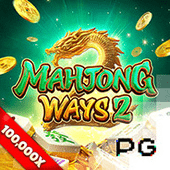

Check the bonus card for eligible games, then choose between Dragon Ball's slot reels and free-spin multipliers and Sabong's Meron and Wala derby odds for your turnover rounds.
How do I find the official mwgaming withdrawal page and choose a payout channel?
Open mwgaming.homes, the official entrance for Super Ace, Fortune Gems 2, Mahjong Ways 2 and Gates of Olympus with GCash, Maya and QR Ph cashier support, bookmark the homepage and download page, and read the withdrawal terms for identity checks, payout limits (₱200 minimum), processing times (5–15 minutes) and applicable fees.
- GCash bound at signup. Pick the payout account in Withdraw, enter ₱200 or more, and confirm with OTP for a mwgaming gcash payout.
- Maya or QR Ph in your own name. Choose that channel in Withdraw and confirm the holder name matches your registered profile name.
- Bonus still running. Read the turnover counter on the mwgaming bonus card first; the ₱100 + ₱100 example needs ₱1,000 in valid bets.
Which five checks keep every mwgaming withdrawal on schedule?
Run five checks before you tap Confirm on mwgaming, and the request reaches processing in one pass: verification complete, payout account matched, amount at ₱200 or above, turnover counter finished and the OTP phone within reach.
- Verification. The Verification panel shows an approved status and no pending document request.
- Payout account. The wallet or bank account holder name equals your registered profile name.
- Amount. Enter ₱200 or more; the mwgaming wallet balance must cover it.
- Turnover. The bonus card shows the full valid-bet total, such as ₱1,000 for the ₱100 + ₱100 example.
- OTP phone. Keep the registered 09XX phone nearby so the confirmation code arrives while the Withdraw screen is open.
Which mistakes delay a mwgaming withdrawal, and how do I fix them?
Five slips cause most mwgaming delays, and each one clears in a minute: an amount under ₱200, a mismatched account name, an unfinished turnover counter, edited payment details and a missing reference during a support chat.
- Requesting less than ₱200Raise the amount to ₱200 or more, then confirm with OTP.
- Using a payout account in another person's nameSelect the GCash, Maya or QR Ph account whose holder name equals your profile name.
- Requesting before turnover is finishedPlay until the bonus card shows the full ₱1,000 in the example, then submit.
- Changing payment details while a request is openKeep the registered details unchanged until the status reads complete.
- Contacting mwgaming support without a referenceCopy the History reference, the 13-digit GCash Ref. No. or the Maya reference ID before opening live chat.
mwgaming withdrawal FAQ: GCash timing, pending status and support
How long does a mwgaming withdrawal to GCash take?
A mwgaming gcash payout is processed in 5–15 minutes after you open Wallet, select Withdraw, pick the payout account bound at signup, enter at least ₱200 and confirm with OTP. The account holder name matches your registered profile name, and the finished request appears in Transaction History with its amount and status.
Why is my mwgaming withdrawal still pending?
A pending mwgaming request is waiting for platform processing, which runs 5–15 minutes. Open Wallet and Transaction History to read the amount, destination method and request time, keep the registered payment details unchanged while the request is open, and send the transaction reference to 24/7 live chat when the status needs a manual check.
How do I contact support about a mwgaming withdrawal?
Open the Support panel, start the 24/7 live chat and share your registered number, the transaction time and the 13-digit GCash Ref. No. or Maya reference ID. Support confirms mwgaming payments and account status within minutes, and the OTP password reset covers most login questions right away.
Ready for your first mwgaming withdrawal? Open the lobby
Register with your 09XX number, fund ₱100 through mwgaming gcash and withdraw from ₱200 once your bonus counter is complete.