 Dragon Ball
 Slot: Free Spins, Turbo Spin and Paytable
Dragon Ball is a video slot on the mwgaming slot shelf: you set a spin bet, match symbols as the Paytable shows, and land Scatter symbols to enter the free spins round with its multipliers. Turbo Spin and Auto Spin speed up play, and the reference return for slots is 96.2%–97.5%.
What kind of slot is Dragon Ball and what makes it different?
Dragon Ball is an anime-styled video slot where every spin pays by matching symbols, and the free spins round is the main feature to reach. Three parts carry mwgaming Dragon Ball: the stake controls, the Paytable and the Scatter symbols, and a ₱100 deposit gives you enough spins to learn all three.
- Stake controls
- Plus and minus buttons set the bet for each Dragon Ball spin.
- Paytable
- The info panel lists symbol values and the paylines or ways that pay.
- Scatter symbols
- The required count of Scatters opens the free spins round with its multipliers.
What is the Dragon Ball theme and spin experience like on a phone?
Dragon Ball puts a blue-haired fighter and a glowing energy ball at the centre of the reels, so each Dragon Ball spin has a quick, high-energy feel. Symbols drop, win lines flash, and the balance bar updates in under a second, which makes mwgaming Dragon Ball easy to follow in portrait mode.
- Normal spin. In a Dragon Ball Demo warm-up the reels stop at their own pace, so you can read each win line.
- Turbo spin. The animation shortens and the next spin is ready sooner.
- Free spins. The Dragon Ball round plays through its multipliers and returns you to the base game with the total added to the balance.
How do I play Dragon Ball from the first stake to the free spins round?
Open Dragon Ball, tap the plus and minus stake controls to set your spin bet, and press Spin or Turbo Spin. Match symbols across active paylines or ways, or trigger cascading reels as the Paytable shows. Land the required Scatter symbols to enter the free spins round with its multipliers.
- Open the game. Tap the mwgaming Dragon Ball icon on the slot shelf of the lobby.
- Set the bet. Use the plus and minus controls until the spin bet is the size you planned.
- Spin. Press Spin for a normal round or Turbo Spin for a faster one.
- Read the Paytable. Check which symbols pay, and how many Scatters start the free spins.
- Collect. Wins are added to the balance, and a ₱200 withdrawal is processed in 5–15 minutes.
How do Turbo and Auto Spin work in Dragon Ball?
Turbo shortens the reel animation in Dragon Ball, and results are the same as normal spins. Auto Spin runs a set number of spins and can stop on a big single win or when the balance drops below your limit. Tap the Auto button again at any time to stop the remaining spins.
| Control | What it changes | How to stop it |
|---|---|---|
| Turbo Spin | Shorter reel animation, same results | Switch Turbo off in the spin panel |
| Auto Spin | Runs a set number of spins | Tap Auto again, or wait for a win or balance limit |
| Stake controls | Sets the bet on each spin | Adjust before the next spin |
Which Dragon Ball strategy keeps a session steady from the first spin?
A steady Dragon Ball session starts with one fixed spin bet, a spin count and a balance floor. Fix those three numbers before the first Dragon Ball spin, and use Auto Spin only inside them. Every extra spin then has a plan, and the free spins round arrives when the Scatters land, not when you chase it.
- One bet size. Keep the Dragon Ball spin bet the same for the first twenty spins.
- A spin count. Decide how many spins the session lasts, then use Auto Spin for that exact count.
- A balance floor. Set the stop limit in Auto Spin so a cold stretch ends the run for you.
Run the first ten normal spins as a Dragon Ball Demo, and turn Turbo on only after the Paytable feels familiar.
Which Dragon Ball winning tips help with free spins and cash-out?
Dragon Ball winning tips are about routine in mwgaming Dragon Ball: read the Paytable once, keep the bet steady, and take a win when it reaches your target. A ₱100 deposit plus a ₱100 bonus at 5x turnover needs ₱1,000 in valid bets, and steady spins count toward that total.
- Free spins trigger. Check the Scatter count in the Paytable, then watch how often it appears in a mwgaming free spins session.
- Bonus spins. A mwgaming free spins offer in Promotions shows its eligible games and expiry before you tap Claim.
- Cash-out. When the balance reaches your target, follow the GCash and Maya withdrawal steps and limits and collect the win.
Ready to spin Dragon Ball for the free spins round?
Spin Dragon Ball with one bet size and a fixed spin count. Wallet deposits from GCash, Maya or QR Ph start at ₱100, and credit lands in 1–3 minutes. Share your invite link from a mwgaming affiliate account in Promotions, and the mwgaming Dragon Ball slot stays one tap away.
The Promotions panel lists the invite link under your mwgaming affiliate account, so you can play a Dragon Ball Demo spin first and share the link later. After a Dragon Ball session, try the live pace of Sabong Meron and Wala odds and live-fight mechanics, or the table rhythm of Lucky 7 live table side bets and RTP.
More slots to play after Dragon Ball
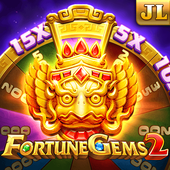
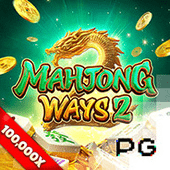
Super Ace, Fortune Gems 2 and Mahjong Ways 2 share the slot rhythm, while Gates of Olympus adds a multiplier theme.